
Plants vs. Zombies™ Replanted
Accessibility Resources

The beloved classic Plants vs. Zombies™ returns in its best form ever. Play the original game with upgraded visuals, extra game modes, and new features. Play solo or with a friend in co-op or versus modes!
Please note that the accessibility information included here is based on the US, English version of the game for consoles, unless specified otherwise. For more information about the game, patch notes, and news, visit the official website.
Noteworthy Features:
Visual
Camera comfort
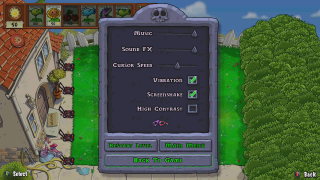
- The game offers a toggle in the settings and pause menu to disable all screen shake encountered on certain scenarios, like when using a cherry bomb or playing the bowling minigame. By design, the fixed 2D perspective of the game does not feature any other camera effects that could induce discomfort, such as chromatic aberration, or motion blur.

High-contrast mode
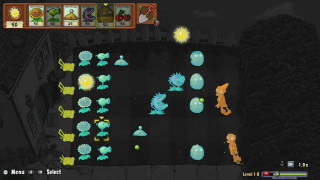
- The game features a high-contrast mode toggle in the settings and pause menu, that reduces saturation of the game’s background and highlights the in-game assets with different color shaders to help clearly identify them for users with low vision.
Audio
Sound Settings
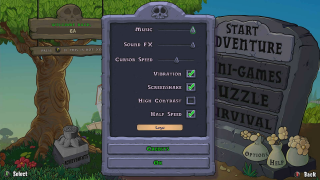
- Music and Sound effects sliders can be separately customized or muted.
Controls
Supported input methods
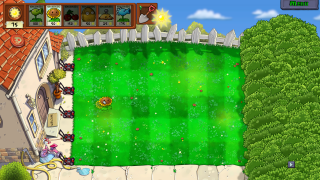
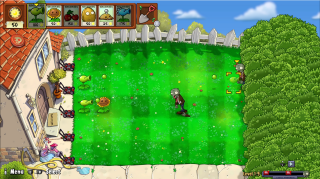
- Mouse and keyboard, as well as controllers are supported on PC (the console version of the game only supports controller input).
- The cursor speed can be reduced or increased in the settings menu for both controller and mouse controls.
- Switch 2 users can benefit from the mouse mode of the Joy Con 2 controllers to interact with the game as a mouse would.
Input challenges
- The game does not require any analog input to be played. It can be controlled entirely with the D-pad and the controller’s buttons.
- The game does not feature button mashing interaction, simultaneous button presses or quick-time events at any point.
Gameplay
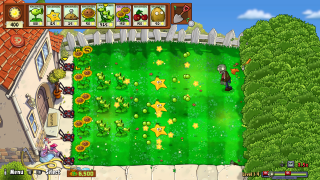
Gameplay Affordances
- The game can be paused at any moment during gameplay.
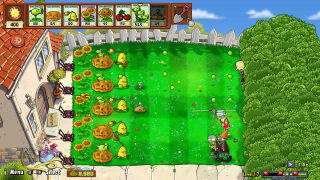
- New to this version, the game features a gameplay speed button that can make the gameplay go faster, up to 2.5x the speed.
- For the players who need the game speed to be decreased instead, the game also offers a “half-speed” toggle setting that changes the speed presets cycle between 0.5x, 0.8x, 1.0x and 1.3x. Please note that this setting is only present in the main menu settings, and cannot be enabled in the in-game pause menu.