STAR WARS Zero Company™
Accessibility Resources

Welcome to Star Wars Zero Company, a turn-based tactical game where you will lead an elite squad of soldiers on strategic missions across the galaxy.
Before you play this game, we want to make sure your accessibility onboarding goes smoothly. Zero Company features a dedicated accessibility menu available upon first launch, allowing you to set up your experience before starting a new campaign.
Within the settings menu, you’ll find an array of visual settings, including full-screen colorblind filters and Extra Large text options that make menus, on-screen UI, and subtitles easier to read. Please note that menu narration is not currently supported. To ensure you can play comfortably, there is controller and keyboard remapping available, allowing you to customize your layout exactly how you want it. After learning the ropes through our guided training missions you will be able to rely on helpful, on-demand tool-tips throughout your journey to help you master squad tactics.
Important Information: Please note that this information is based on the US, English version for PC and consoles only. For more information about the game, patch notes, and news, visit the official website.
Noteworthy Features
Visual
User Interface
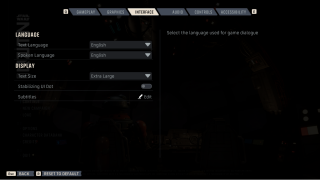
- Stabilizing Dot can be enabled from the interface settings menu to add a persistent white dot in the center of the screen.
- Text Size options are available for the Menu and Gameplay UI, with small, standard, large, and extra large to choose from.
Visual Effects and Display
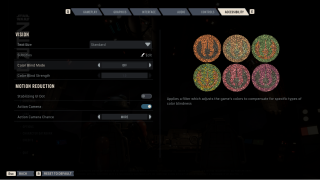
- Colorblind filters are provided for Protanomaly, Deuteranomaly, and Tritanomaly as full-screen solutions and are accompanied by a preview.
- Action Camera that cuts to specific abilities can be either adjusted to appear infrequently or completely toggled off.
- Chromatic Aberration is not present by design.
Audio
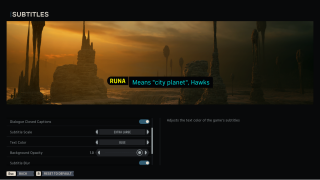
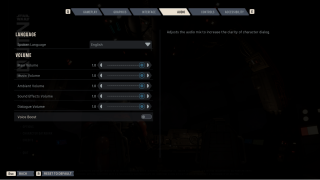
Audio Settings
- Subtitle Suite includes various options, such as size, captions, text color, opacity, speaker names, and speaker name color.
- Volume Sliders for various different types of audio such as main, music, ambient, sound effects and dialogue can all be adjusted.
- Voice Boost can be enabled to boost game dialogue.
- Menu Narration is not present in the game.
Controls
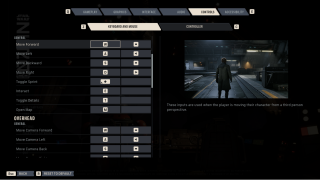
Input Settings & Remapping
- Remapping is provided for most controls on both mouse & keyboard and controller.
- Sensitivity & Inversion options are present for both mouse and joystick controls.
Gameplay
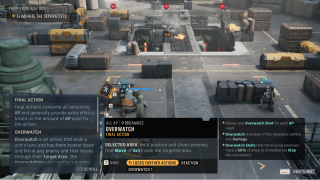
Guidance & Progression
- Tutorials are present to guide the player through initial missions.
- Tool Tips can be accessed during gameplay to explain keywords and abilities at the press of a button.
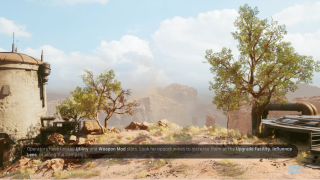
- Pop-up Tips occur during loading screens to serve as reminders for certain gameplay actions.
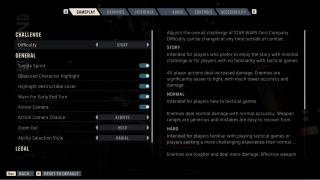
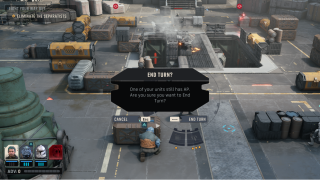
- End of Turn Warning can be toggled on or off to avoid skipping a turn when there are still possible action points left to spend.
Difficulty & Affordances
- Difficulty Options are available for the player among four different levels (Expert, Hard, Normal, and Story)
- Permadeath for squad members can be toggled on or off depending on your desired experience.
- Gameplay Highlights are available for obscured characters and destructible cover.